No-Code Website Makeover With ChatGPT: Turn Templates Into High-Conversion Sites

Want a sharper, more on-brand website but stuck with “template vibes”? Good news: even with zero coding, you can use ChatGPT to generate HTML/CSS/JS snippets and embed them into your site. In minutes, turn a generic layout into a polished, conversion-friendly experience—SEO included.
Why Polish Your Modules?
‣ Increase dwell time: Better visual hierarchy and clean layout reduce bounce.
‣ Strengthen brand perception: Color, typography, spacing, and micro-interactions signal professionalism.
‣ Boost interaction & trust: Hover states, carousels, gradients, and testimonial blocks make pages feel alive.
* SEO tip: Use a clear H1/H2/H3 structure and semantic HTML so search engines can understand your content.
Three High-ROI Sections To Improve First
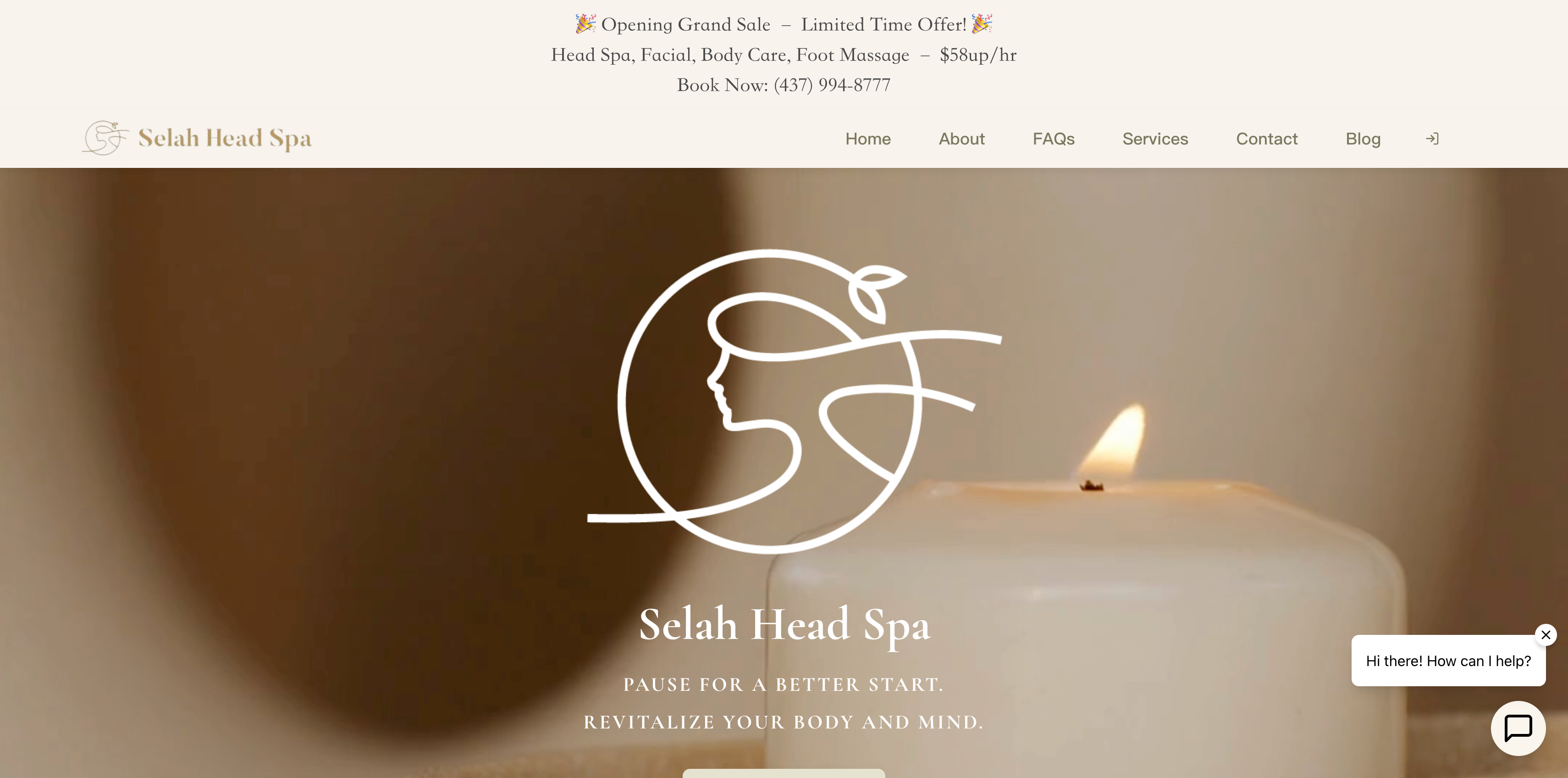
1) Top Banner (Hero/Announcement)
👉 Place a gradient background at the top of your homepage and include a "promotion" or "important announcement". Visitors will instantly notice the key message, making your site look polished and professional.
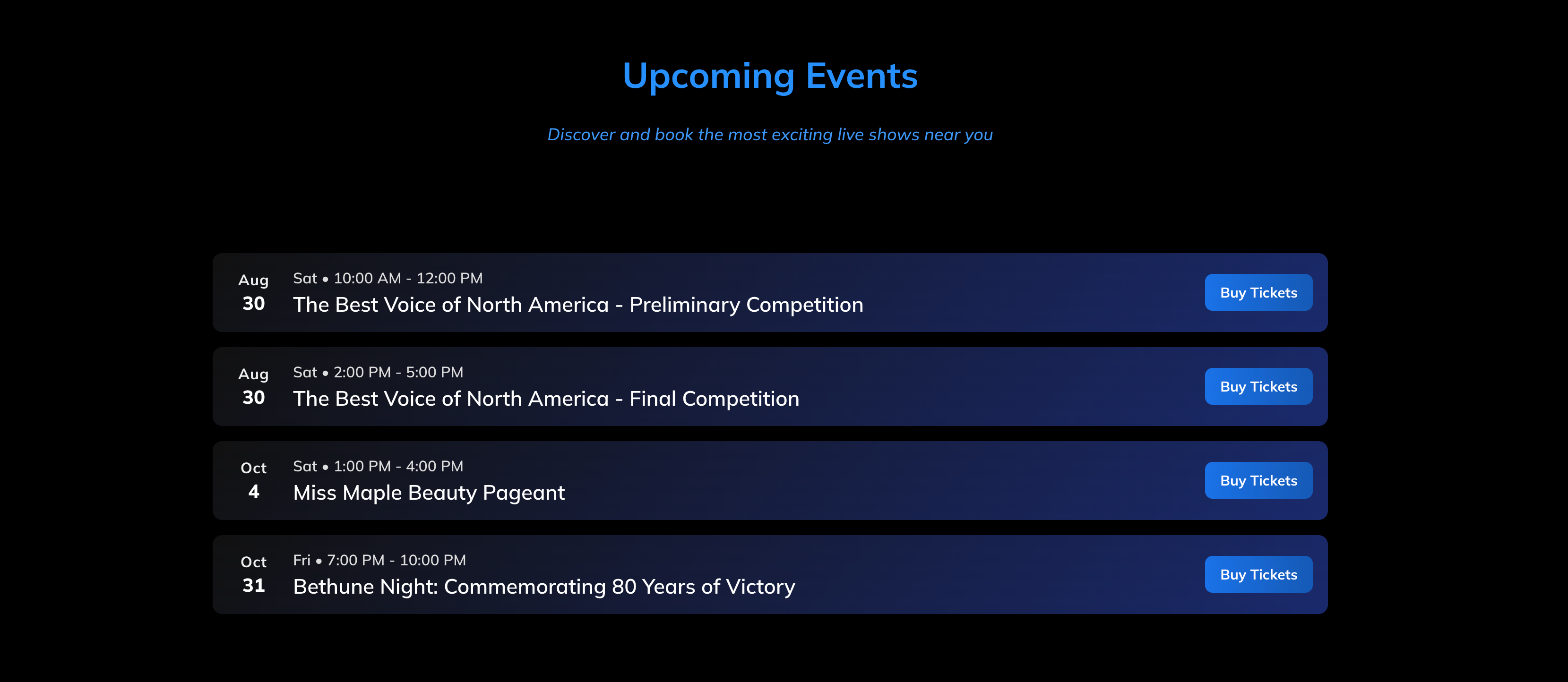
2) Features / Services Cards
👉 Use card layouts with shadows, gradients, and subtle hover animations. This makes your information clear, visually appealing, and easy for visitors to scan.
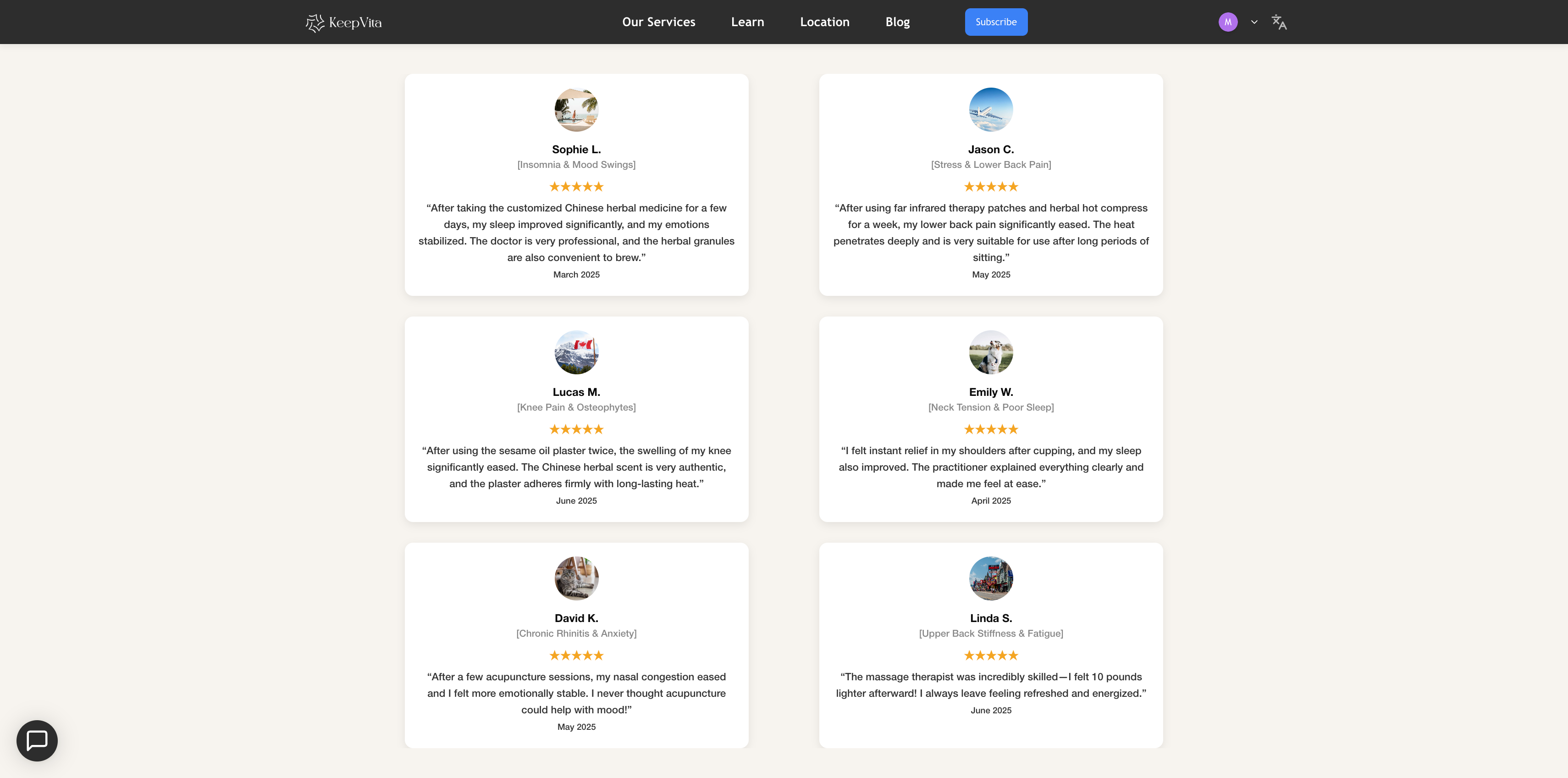
3) Testimonials
👉 Include avatars, names, star ratings, review text, and dates. This builds trust with your visitors, just like a review wall on an e-commerce site.
Use ChatGPT In 3 Steps
1. Describe the module you want
Think of ChatGPT as your designer. Clearly explain:
- What type of module it is (testimonial, banner, feature card, etc.)
- Design requirements (rounded corners, shadows, responsive, animations, etc.)
✅ Sample Prompt:
“Generate a responsive testimonial module:
- Use HTML + CSS, support mobile and desktop
- Output as html fragment or body content
- Each testimonial includes avatar, name, small subtitle, star rating (★★★★★), review text, and date
- Cards should have rounded corners, shadows, and a clean modern style
- Provide at least 6 sample testimonials with random avatar images, text in English”
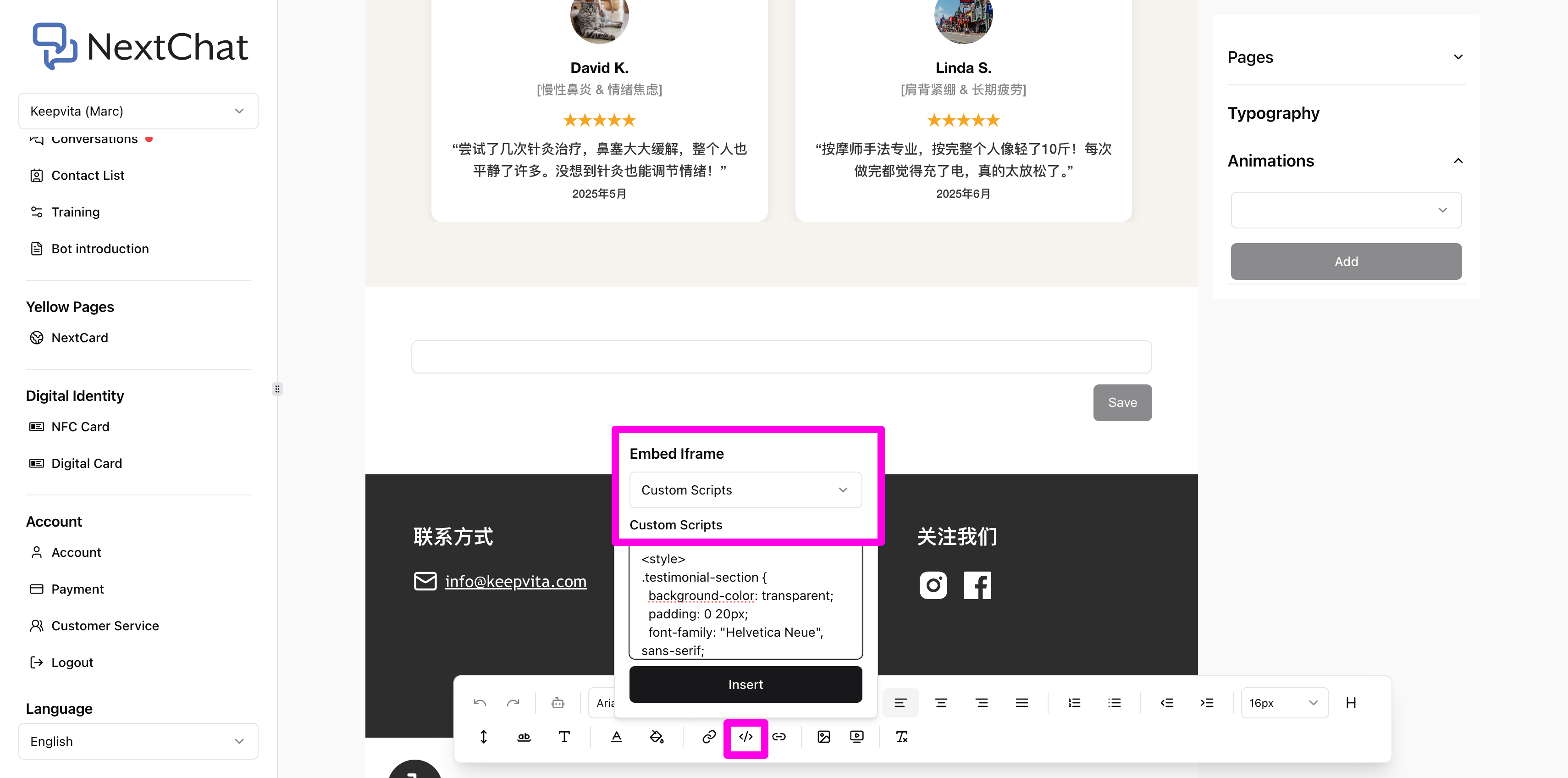
2. Paste the code into your site’s custom code block
⚠ Beginner Tip:
- Do not copy <html>, <head>, or <body> tags.
- Copy only the code snippet generated by ChatGPT.
- Paste it into your site’s custom code block (Embed iframe → Custom scripts).
- Click Save → Publish, then refresh to see the results instantly. 🎉
✅ Example Shown:
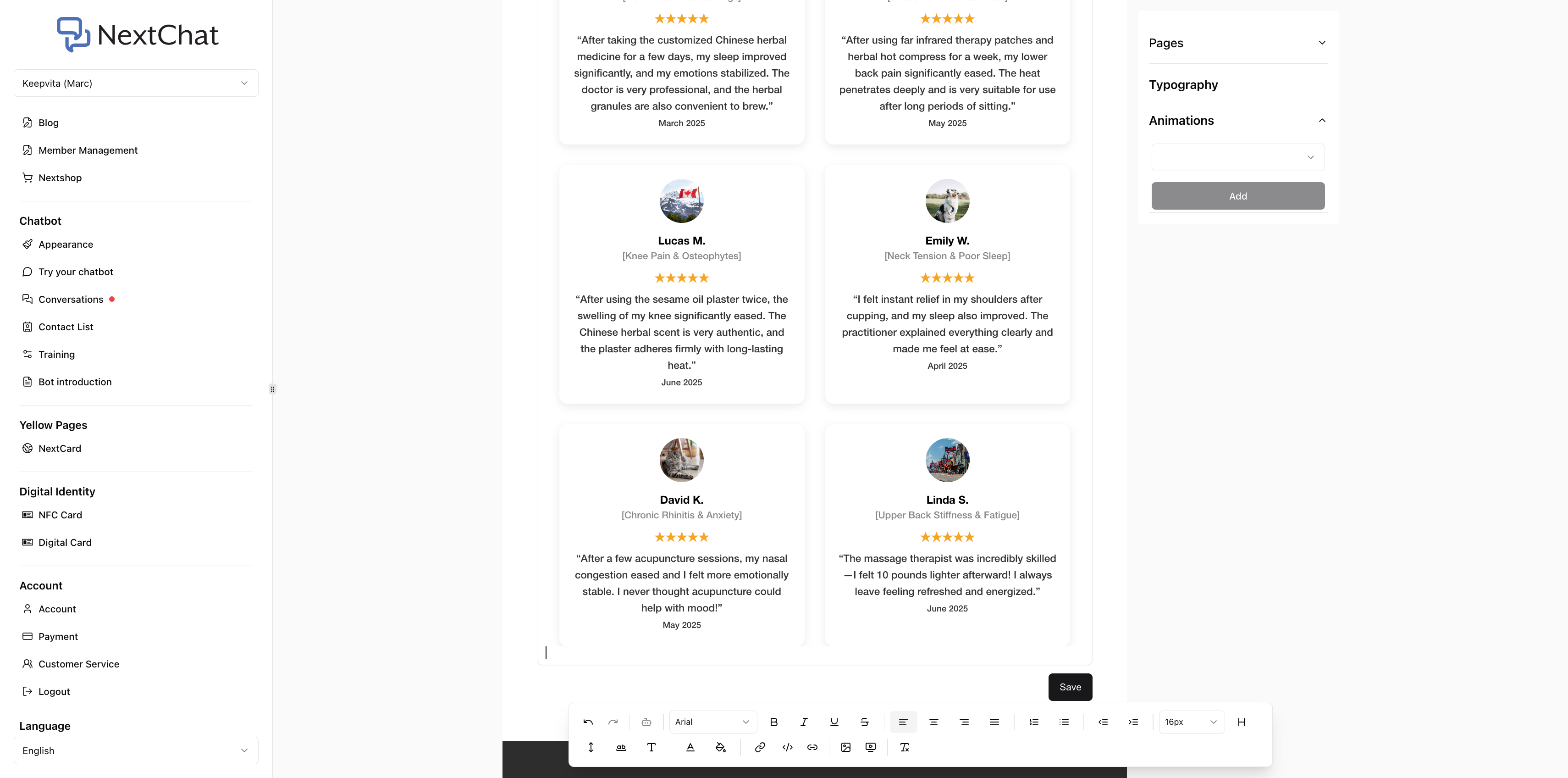
3. Customize the design to match your brand
‣ Want different colors? → “Change the button color to blue.”
‣ Want different fonts? → “Use Times New Roman for all text.”
‣ Want animations? → “Scale up the card slightly when hovered.”
👉 You only need to give clear instructions, no coding required.
Beautifying your website is easier than you think:
✨ Simple → A few lines of code are enough
⚡ Fast → No coding skills required
🎨 Flexible → Adjust colors, layout, or animations anytime
With clear prompts, you can create stylish, custom modules—even with zero coding knowledge.
No more boring “template look”—your site can now truly reflect your brand. 🚀
💡 Your website can also look more polished and engaging. Get in touch with us, and let AI + design create a whole new experience for your brand!
📍 Location: 3600 Steeles Ave E, Markham, ON M1W 2Z2
📮 Email: maggie.xu@nextaisite.com
☎️ Phone: (647) 881-9029